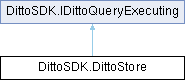
A class encompassing functionality relating to the embedded storage. This is not a class you instantiate directly. Instead you access DittoStore objects using Ditto.Store.
More...
|
| DittoPendingCollectionsOperation | Collections () |
| | Returns an object that lets you fetch or observe the collections in the store.
|
| |
| DittoCollection | Collection (string collectionName) |
| | A method to reference a DittoCollection.
|
| |
| unsafe List< DittoWriteTransactionResult > | Write (Action< DittoWriteTransaction > handler) |
| | Allows you to group multiple operations together that affect multiple documents, potentially across multiple collections.
|
| |
| Task< DittoQueryResult > | ExecuteAsync (string query, Dictionary< string, object > arguments=default) |
| | Executes a DQL query and returns matching items as a query result.
|
| |
| DittoStoreObserver | RegisterObserver (string query, Action< DittoQueryResult > storeObservationHandler) |
| |
| DittoStoreObserver | RegisterObserver (string query, Action< DittoQueryResult, Action > storeObservationHandlerWithSignalNext) |
| |
| DittoStoreObserver | RegisterObserver (string query, Func< DittoQueryResult, Task > storeObservationHandlerTask) |
| |
| DittoStoreObserver | RegisterObserver (string query, Dictionary< string, object > arguments, Func< DittoQueryResult, Task > storeObservationHandlerTask) |
| |
| DittoStoreObserver | RegisterObserver (string query, Dictionary< string, object > arguments, Action< DittoQueryResult > storeObservationHandler) |
| |
| DittoStoreObserver | RegisterObserver (string query, Dictionary< string, object > arguments, Action< DittoQueryResult, Action > storeObservationHandlerWithSignalNext) |
| | Installs and returns a store observer for a query, configuring Ditto to trigger the passed in change handler whenever documents in the local passed in query must be a SELECT query, otherwise a store error with queryNotSupported reason is thrown.
|
| |
| async Task< T > | TransactionAsync< T > (Func< DittoTransaction, Task< T > > scope, string hint=null, bool isReadOnly=false) |
| | Convenience method, same as TransactionAsync(Func<DittoTransaction, Task<DittoTransactionCompletionAction>>, string, bool), but propagates the return value of the scope rather than the completion action.
|
| |
| async Task | TransactionAsync (Func< DittoTransaction, Task > scope, string hint=null, bool isReadOnly=false) |
| | Convenience method, same as TransactionAsync<T>/>, but intended for transaction scopes that do not return a value.
|
| |
| async Task< DittoTransactionCompletionAction > | TransactionAsync (Func< DittoTransaction, Task< DittoTransactionCompletionAction > > scope, string hint=null, bool isReadOnly=false) |
| | Executes multiple DQL queries within a single atomic transaction.
|
| |
| Task< DittoAttachment > | NewAttachmentAsync (string path, Dictionary< string, string > metadata=null) |
| | Creates a new attachment, which can then be inserted into a document.
|
| |
| DittoAttachmentFetcher | FetchAttachment (DittoAttachmentToken token, Action< DittoAttachmentFetchEvent > onFetchEvent) |
| | Fetch the attachment corresponding to the provided attachment token.
|
| |
| DittoAttachmentFetcher | FetchAttachment (Dictionary< string, object > token, Action< DittoAttachmentFetchEvent > onFetchEvent) |
| | Fetch the attachment corresponding to the provided attachment token. Expects a dictionary representation of the token as returned in a DittoQueryResultItem
|
| |
A class encompassing functionality relating to the embedded storage. This is not a class you instantiate directly. Instead you access DittoStore objects using Ditto.Store.
| Task< DittoQueryResult > DittoSDK.DittoStore.ExecuteAsync |
( |
string | query, |
|
|
Dictionary< string, object > | arguments = default ) |
|
inline |
Executes a DQL query and returns matching items as a query result.
Note: This method only returns results from the local store without waiting for any DittoSDK.DittoSyncSubscription to have caught up with the latest changes. Only use this method if your program must proceed with immediate results. Use a DittoSDK.DittoStoreObserver to receive updates to query results as soon as they have been synced to this peer.
Implicitly creates a one-off transaction behind the scenes to execute the query. Refer to IDittoQueryExecuting.ExecuteAsync(string, Dictionary<string, object>) for a detailed description.
- Parameters
-
| query | A string containing a valid query expressed in DQL. |
| arguments | A dictionary of values keyed by the placeholder name without the leading :.
Example: new Dictionary<string, object>
{
{ "mileage", 123 }
}
|
- Returns
- A DittoSDK.DittoQueryResult containing a DittoSDK.DittoQueryResultItem for each match.
- Exceptions
-
Implements DittoSDK.IDittoQueryExecuting.
| Task< DittoAttachment > DittoSDK.DittoStore.NewAttachmentAsync |
( |
string | path, |
|
|
Dictionary< string, string > | metadata = null ) |
|
inline |
Creates a new attachment, which can then be inserted into a document.
The file residing at the provided path will be copied into Ditto's store. The <see cref="DittoAttachment"/> object that is returned is what you can then use to insert an attachment into a document.
You can provide metadata about the attachment, which will be replicated to other peers alongside the file attachment.
Below is a snippet to show how you can use the <see cref="NewAttachmentAsync"/> functionality to insert an attachment into a document.
var attachment = await store.NewAttachmentAsync("/path/to/my/file.zip");
if (attachment != null)
{
var document = new Dictionary<string, object>
{
{ "some", "string" },
{ "myAttachment", attachment }
};
await Ditto.Store.ExecuteAsync(
query: "INSERT INTO COLLECTION myCollection (myAttachment ATTACHMENT) DOCUMENTS (:document1)",
arguments: new Dictionary<string, object>
{
{ "document1", document }
}
);
}
- Parameters
-
| path | Path to the file on disk that will be used as the attachment. |
| metadata | Optional metadata relating to the attachment. |
- Returns
- A <see cref="DittoAttachment"/> object, which can be used to insert the attachment into a document.
- Exceptions
-
Executes multiple DQL queries within a single atomic transaction.
This ensures that either all statements are executed successfully, or none are executed at all, providing strong consistency guarantees. Certain mesh configurations may impose limitations on these guarantees. For more details, refer to the Ditto documentation
.
Transactions are initiated as read-write transactions by default, and only a single read-write transaction is being executed at any given time. Any other read-write transaction started concurrently will wait until the current transaction has been committed or rolled back. Therefore, it is crucial to make sure a transaction finishes as early as possible so other read-write transactions aren't blocked for a long time.
A transaction can also be configured to be read-only using the isReadOnly parameter. Multiple read-only transactions can be executed concurrently. However, executing a mutating DQL statement in a read-only transaction will throw an error.
If errors occur in an DittoTransaction.ExecuteAsync call within a transaction block and the error is caught and handled within the block, the transaction will continue to run and not be rolled back. When an error is thrown at any point inside the transaction block or while committing the transaction, the transaction is implicitly rolled back and the error is propagated up to the caller.
When a Ditto instance is explicitly disposed or garbage collected, it will drive all pending transactions to completion before being shut down.
<warning> Calling DittoStore.ExecuteAsync or creating a nested transaction within a transaction may lead to a deadlock. </warning>
For a complete guide on transactions, please refer to the Ditto documentation
.
- Parameters
-
| scope | A delegate that provides access to a transaction object that can be used to execute DQL queries. |
| hint | A hint for the transaction, which is logged. Mostly useful for debugging and testing. |
| isReadOnly | A flag indicating whether the transaction is read-only. |
- Returns
- Transaction action that was taken (DittoTransactionCompletionAction.Commit or DittoTransactionCompletionAction.Rollback).
- Exceptions
-
Will rethrow any error thrown within the scope delegate.
- See also
- DittoTransaction
Convenience method, same as TransactionAsync(Func<DittoTransaction, Task<DittoTransactionCompletionAction>>, string, bool), but propagates the return value of the scope rather than the completion action.
The transaction is committed implicitly upon return and rolled back if an error is thrown.
- Parameters
-
| scope | A delegate that provides access to a transaction object that can be used to execute DQL queries. |
| hint | A hint for the transaction, which is logged. Mostly useful for debugging and testing. |
| isReadOnly | A flag indicating whether the transaction is read-only. |
- Template Parameters
-
| T | The return type of the transaction scope. |
- Returns
- The propagated return value of the scope.
Will rethrow any error thrown within the scope function.


 1.13.2